Have Google Play? Install the app from there and updates arrive on their own. The APK file is for phones without Google Play.
What the app can do
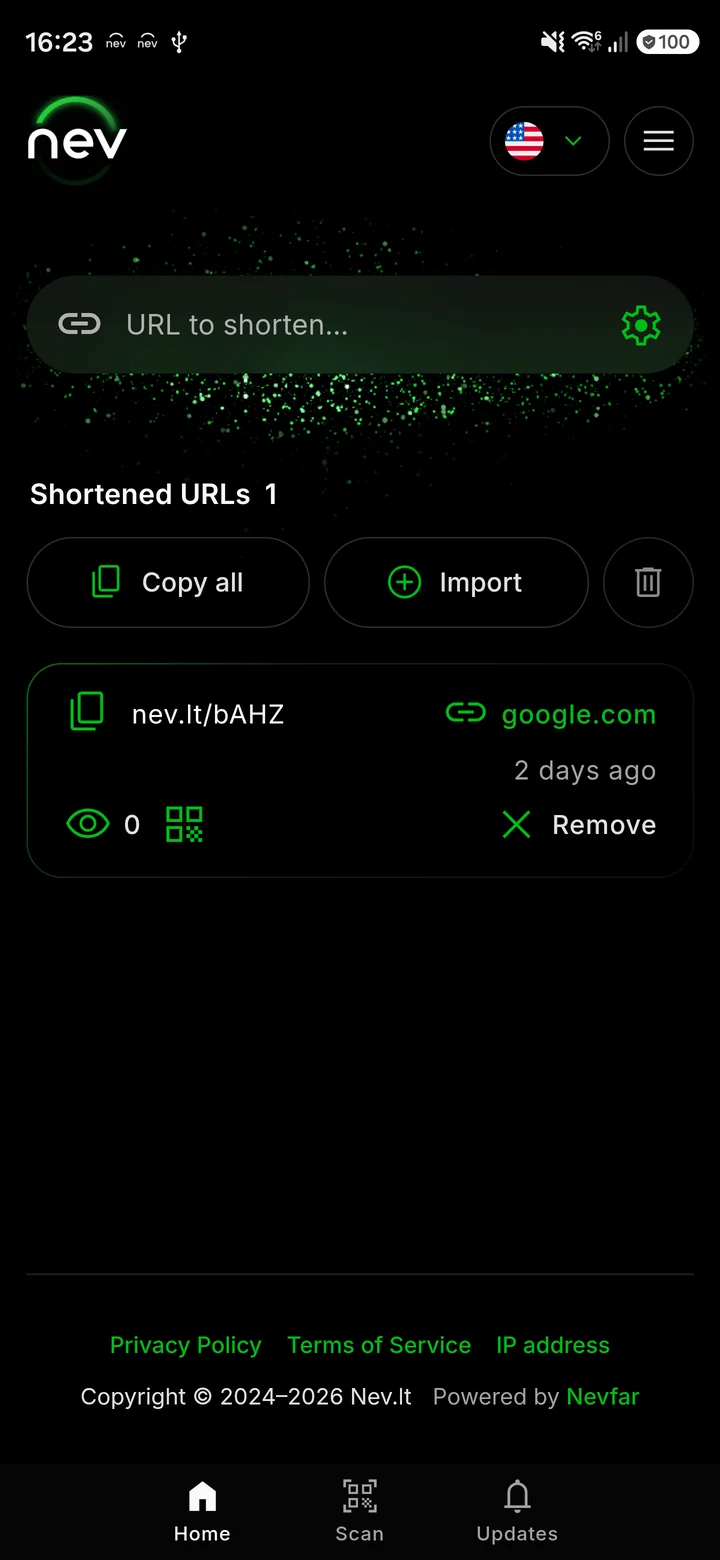
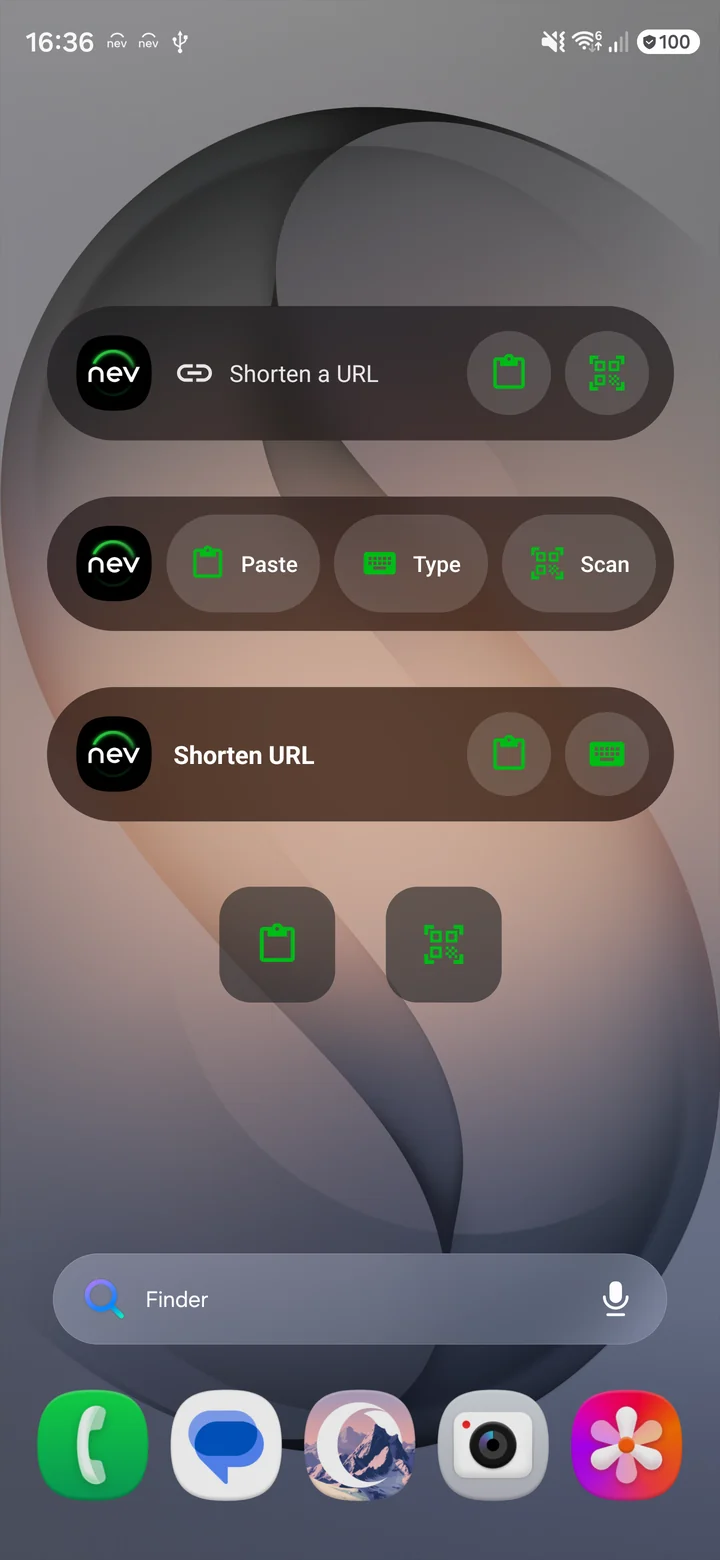
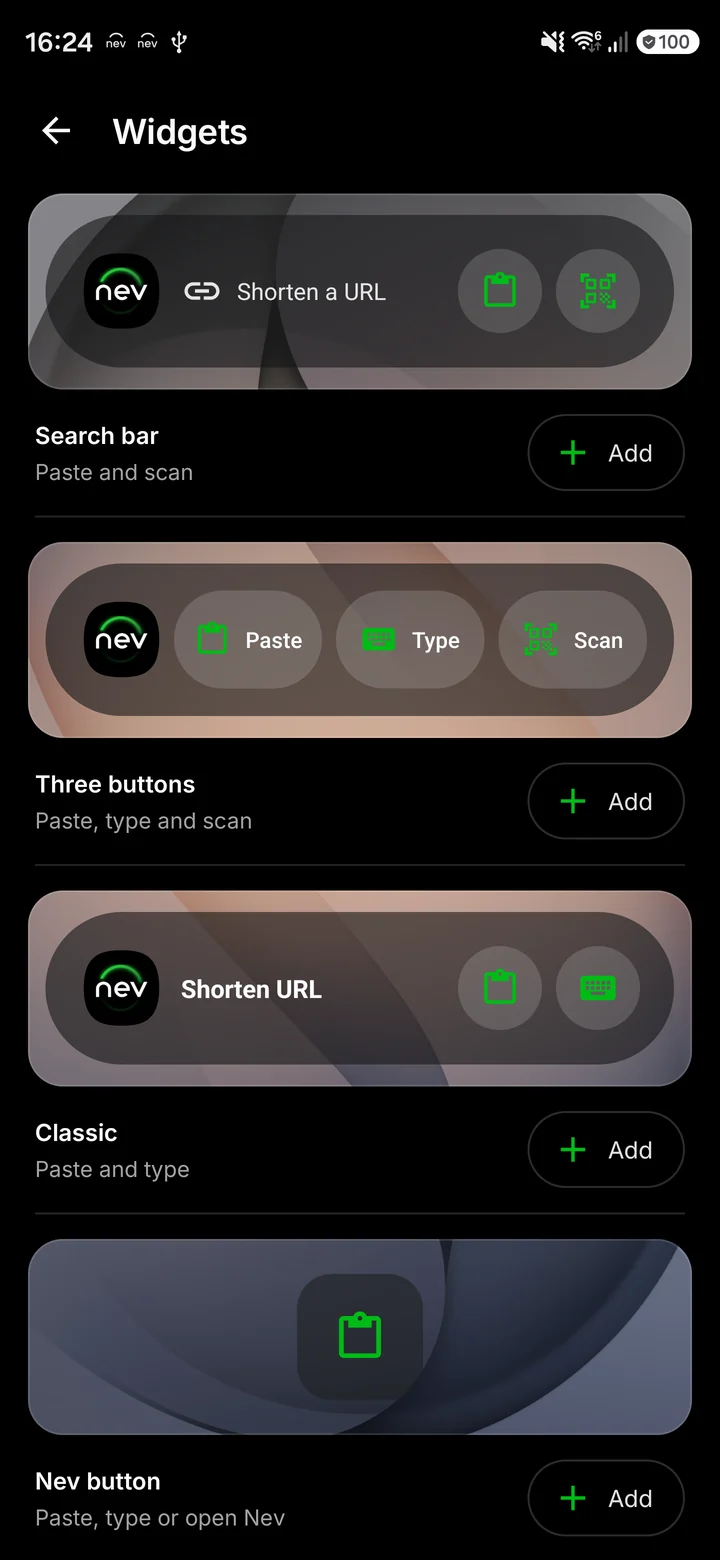
Main screenWidgets on the home screenWidget list
share
Shorten from any appIn a browser or any other app, tap “Share” and choose Nev: the link is handed over for shortening.
qr_code_scanner
Private QR code scannerNev checks scanned links for known threats, and QR images stay on your phone.
widgets
Five home screen widgetsA search bar and buttons to paste a link, type one, or scan a code. You choose the colors, shape, and opacity.
bolt
Quick accessA persistent notification and a Quick Settings tile let you shorten or scan without opening the app.
poll
Analytics and QR codesClicks, countries, and devices for every link. Download the QR code as SVG or PNG.
language
Eight languagesEnglish, Lithuanian, Russian, German, Spanish, French, Polish, and Portuguese.
How to install the APK file
If your phone has no Google Play, you can install the app from a file.
1
Download the fileTap the “APK file” button at the top of this page.
2
Open the downloaded fileAndroid asks whether your browser may install apps. Allow it.
3
Tap “Install”After a few seconds Nev appears in your app list.
Compare it with the checksum of the file you downloaded to make sure the file was not altered. An app installed from the file finds new versions itself and asks you to confirm each installation. If Nev is already installed from Google Play, the file cannot be installed over it, because the store version is signed with a different key.
Permissions the app asks for
photo_camera
CameraOnly for scanning QR codes. The app asks the first time you open the scanner.
notifications
NotificationsFor the persistent quick access notification. You can decline, and the app works without it.
public
InternetTo shorten links and show analytics.
restart_alt
Run at startupSo the quick access notification comes back after a restart.
vibration
VibrationA short haptic after a link is shortened.
The app does not ask for access to your contacts, location, photos, or files.
Nev extension for your browser
The extension shortens the page you have open without leaving the tab. Analytics, QR codes, and link expiration work there too.
One clickThe address of the open page is filled in for you, so all that is left is to copy the shortened link.
mouse
Right-clickShortens the page or any link on it and copies the result.
keyboard
Keyboard shortcutsCtrl+Shift+U opens the extension, Ctrl+Shift+Y shortens the page and copies the link. On a Mac, press Command instead of Ctrl.
Brave, Vivaldi, and other Chromium-based browsers can use the extension from the Chrome Web Store. What changed in each version is listed in the updates.
Frequently Asked Questions
Is the Nev app free?expand_more
Yes. The app and the extensions are free, with no ads, no in-app purchases, and no sign-up.
How does the APK file differ from the Google Play version?expand_more
The app is the same. Updating and signing differ: the Google Play version updates itself and is signed with the store key, while an app installed from the file finds new versions itself and asks you to confirm each installation.
Is it safe to install the APK file?expand_more
We build and sign the file ourselves and serve it from our own server, packages.nevfar.com. To make sure the file you downloaded was not altered, compare its SHA-256 checksum with the one shown here. Do not install Nev APK files from other websites.
How do I update an app installed from the APK file?expand_more
Starting with version 1.3.4, the app finds a new version itself and offers to install it, so you only have to confirm. With an older version, download the new file from this page and install it over the version you have. Your saved links and settings stay in place.
Is there a Nev app for iPhone?expand_more
Not yet. On an iPhone, nev.lt works in the browser, and you can add the site to your home screen.
Which browsers have a Nev extension?expand_more
Chrome, Firefox, and Edge each have their own extension in their stores. Opera, Brave, Vivaldi, and other Chromium-based browsers use the extension from the Chrome Web Store.









 Chrome
 Firefox
 Edge
Edge Opera
Opera